How to Improve Your Brand's ChatGPT Visibility This Week in 2026
A practical one-week plan for improving ChatGPT visibility: pick buyer prompts, run a baseline, fix crawlability, update one page, add proof, recheck results, and decide when to move from manual tracking to an AI visibility tool.

TL;DR
To improve ChatGPT visibility this week, start with 10 buyer prompts, check whether your brand appears, document competitors and cited sources, fix one weak page, and repeat the same prompts after crawling. Use a tool when you need scheduled tracking, citation history, competitor comparisons, and a clear action queue.
What is ChatGPT visibility?
ChatGPT visibility is how often, how accurately, and how prominently your brand appears when people ask ChatGPT product, category, comparison, or buying questions. It is not only traffic from ChatGPT. It includes brand mentions, citations, competitor framing, answer position, and whether ChatGPT has useful sources to pull from.
OpenAI describes ChatGPT search as a system that can search the web, use linked sources, and show source links when answering timely or web-grounded questions. That changes the job for brands. You are no longer optimizing only for a search result page. You are trying to become a useful source inside the answer.
For ecommerce and DTC brands, the practical question is simple: when a shopper asks ChatGPT what to buy, compare, avoid, or consider, does your brand show up for the right reasons?
How do I get my brand to show up in ChatGPT?
To get your brand to show up in ChatGPT, make sure ChatGPT can crawl your site, publish answer-first content for real buyer questions, strengthen third-party proof, and track the exact prompts where your competitors appear. Start small: 10 prompts, one content fix, one recheck cycle.
Here is the one-week version:
Day | Action | Output |
|---|---|---|
1 | Pick 10 high-intent prompts | A prompt list tied to real buyer questions |
2 | Run baseline checks | Mentions, competitors, sources, and gaps |
3 | Audit crawlability | Robots.txt, raw HTML, sitemap, indexability |
4 | Fix one page | A clearer answer block, FAQ, comparison, or source section |
5 | Add proof | Reviews, third-party mentions, citations, expert detail |
6 | Recheck the same prompts | A before-and-after view |
7 | Decide what to scale | Manual tracker, content sprint, or visibility tool |
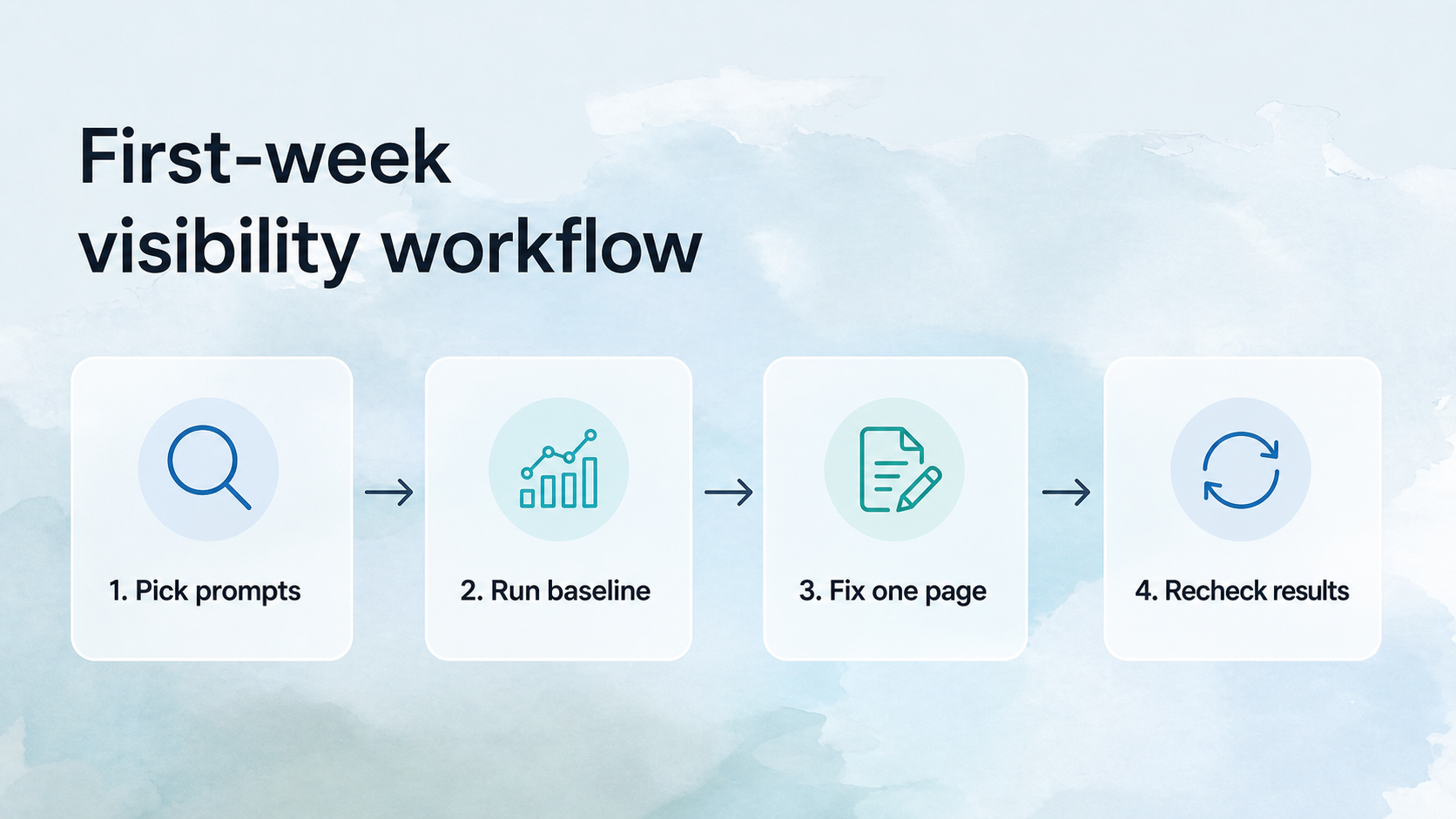
Do not start with 100 prompts. Start with prompts that sound like revenue. "Best running hydration powder for marathon training" is better than "hydration powder." "Brand A vs Brand B for sensitive skin" is better than "skin care."
Where do I even start with AI visibility?
Start with prompts, not pages. List the questions a buyer would ask before they know your brand, while comparing options, and right before purchase. Then check whether ChatGPT mentions you, which competitors appear, and which pages or sources seem to shape the answer.
Use three prompt buckets:
Prompt bucket | Example | What it tells you |
|---|---|---|
Category discovery | "Best electrolyte powder for runners" | Whether ChatGPT knows you belong in the category |
Comparison | "LMNT vs Liquid I.V. for marathon training" | Which competitors frame the market |
Purchase validation | "Is [brand] worth it for sensitive stomachs?" | Whether your claims, reviews, and proof are clear |
Run each prompt the same way each time. Save the answer, date, competitors, cited URLs, and the action you would take. A messy spreadsheet is fine for the first week. The mistake is relying on memory.
How do I make sure ChatGPT can see my site?
Make sure ChatGPT can see your site by allowing the right OpenAI crawlers, serving key content in crawlable HTML, keeping important pages indexable, and avoiding bot protection that blocks legitimate AI retrieval. If your best answers live only inside JavaScript, tabs, or blocked routes, ChatGPT may miss them.
Check these five things first:
Robots.txt allows relevant OpenAI user agents, especially OAI-SearchBot for ChatGPT search visibility.
Important pages are not blocked by noindex, canonical mistakes, login walls, or malformed redirects.
Product details, FAQs, comparison tables, and pricing are present in server-rendered HTML.
Your sitemap includes the pages you want AI systems to discover.
CDN or firewall rules do not challenge or block known AI crawler IP ranges.
OpenAI's crawler documentation separates user agents by purpose. OAI-SearchBot is used for search features, ChatGPT-User is used when a user asks ChatGPT to retrieve a page, and GPTBot is used for model improvement. Treating every AI crawler the same way can block the retrieval paths you actually want.
What content should I update first for ChatGPT visibility?
Update the page that already answers a high-intent buyer question, but answers it vaguely. ChatGPT needs extractable chunks: a direct answer, clear headings, comparisons, requirements, limitations, and proof. A pretty page with buried claims is less useful than a plain page with crisp answers.
Good first-page candidates:
A collection page for a category where competitors show up more often.
A product page with common buyer objections.
A comparison page where shoppers ask "[your brand] vs [competitor]."
A buying guide that explains fit, use cases, ingredients, materials, or tradeoffs.
A FAQ page that currently answers questions in short, generic blurbs.
Add one 40 to 60 word direct answer near the top of the page. Then add a simple table, a short FAQ, and proof that supports the answer. Proof can be reviews, test results, expert detail, third-party coverage, customer examples, or clear product data.
What should I track in my first ChatGPT visibility report?
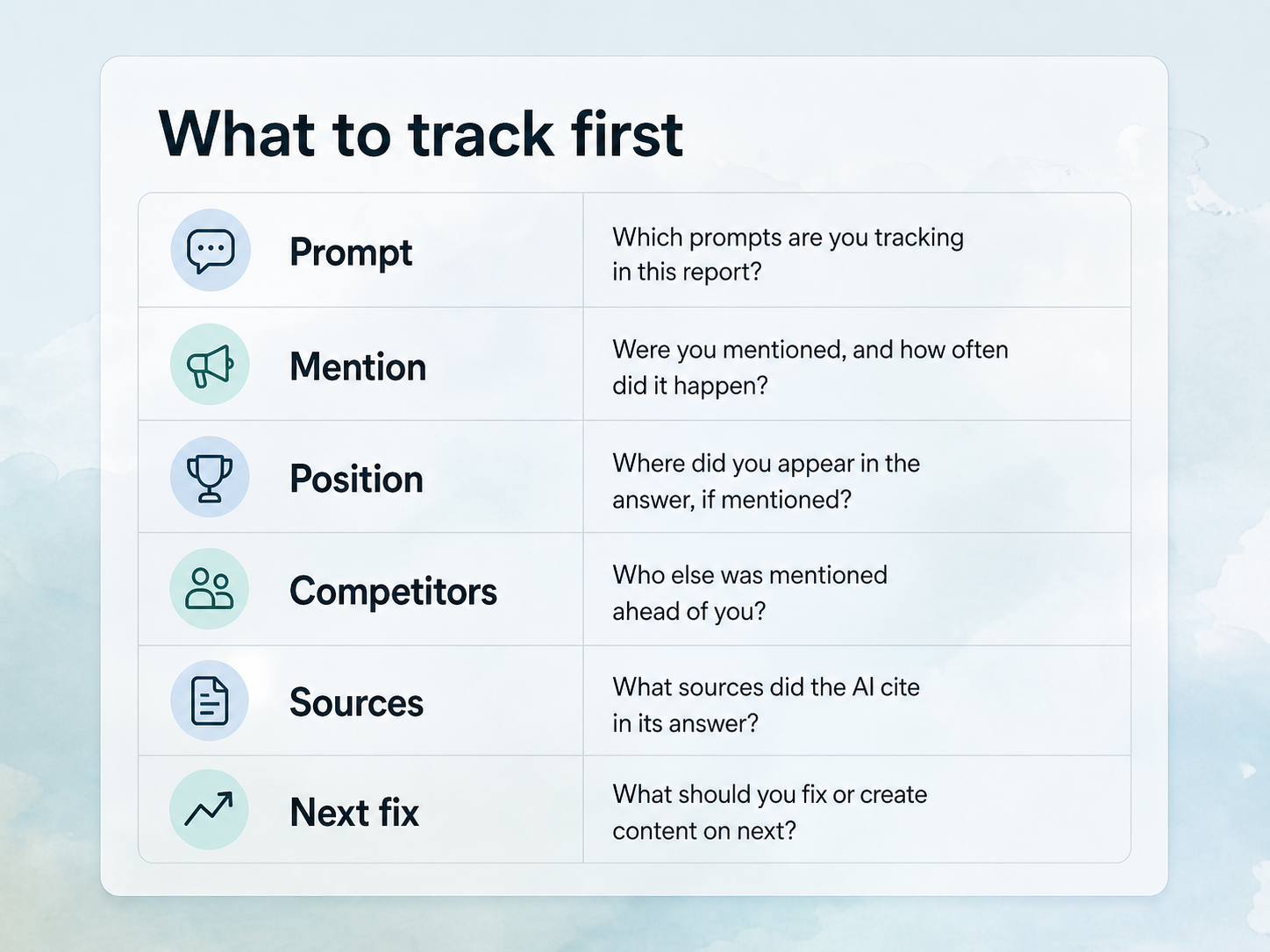
Your first ChatGPT visibility report should track prompts, brand mentions, competitors, cited URLs, answer position, sentiment, and the recommended content fix. A visibility score is useful only if it points to action. Otherwise, it becomes a dashboard number that nobody improves.
Track this minimum set:
Field | Why it matters |
|---|---|
Prompt | Shows the exact question being tested |
Brand mentioned | Measures presence |
Competitors mentioned | Shows who ChatGPT prefers |
Cited URLs | Shows which sources shape the answer |
Answer position | Measures prominence, not just presence |
Framing | Captures whether the answer helps or hurts |
Content action | Turns observation into a fix |
This is where a tool starts to matter. Manual checks work for a first read. They break down once you need repeatable prompt runs, history, competitor trends, and a way to prioritize fixes across dozens of questions.
How long does it take to improve ChatGPT visibility?
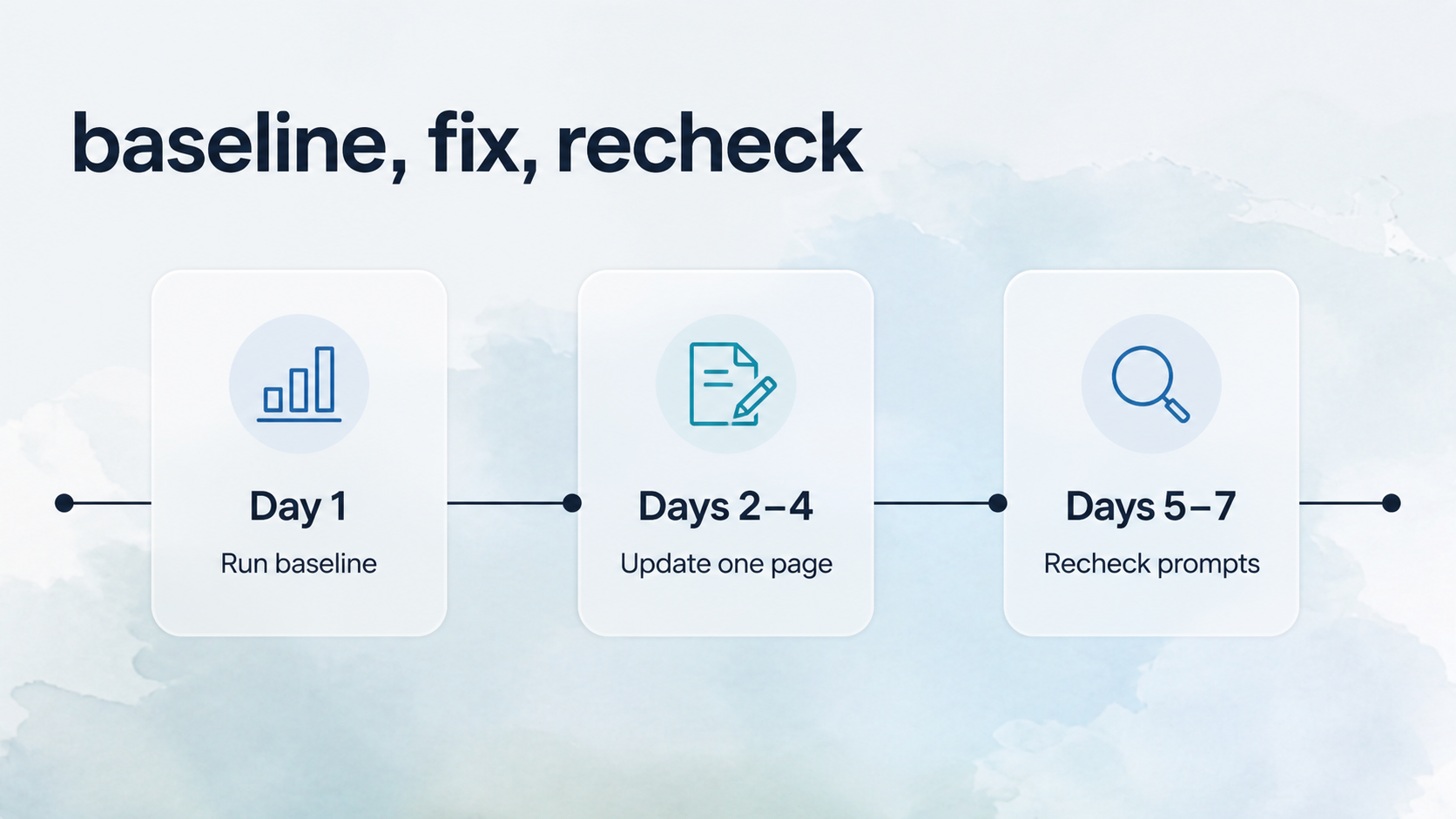
You can create a useful baseline in a day and publish the first fix within a week, but visibility changes usually take longer. ChatGPT visibility depends on crawling, source selection, competitors, third-party proof, and answer variability. Treat the first week as setup, not proof of victory.
A realistic timeline:
Timeframe | What should happen |
|---|---|
Day 1 | Prompt list and baseline checks |
Week 1 | First page fix and crawlability cleanup |
Weeks 2-4 | More pages, stronger internal links, repeated tracking |
Month 2+ | Enough trend history to see whether mentions and citations improved |
Be careful with one-off wins. A single ChatGPT answer can change based on prompt phrasing, timing, search behavior, and source selection. Recent research on AI visibility uncertainty argues that teams should treat citation visibility as a sampled measurement, not a fixed ranking.
Do I need a tool to improve ChatGPT visibility?
You do not need a tool to begin improving ChatGPT visibility. You do need one when tracking becomes recurring work. If you care about prompt history, competitor share, citations, trend lines, and prioritized fixes, a tool is more reliable than manual spot checks.
Anagram's AI Visibility product is built for that workflow: track how your brand appears across important prompts, compare against competitors, see which sources shape answers, and find topic gaps. The entry AI Visibility tier is $99 per month, or $83.25 per month when billed annually, with a 30-day free trial listed on Anagram's pricing page.
Use manual tracking if you have five to 10 prompts and one person checking them weekly. Use a tool when you have enough prompts, competitors, or stakeholders that the spreadsheet starts lying to you by omission.
What is the fastest useful workflow this week?
The fastest useful workflow is baseline, fix, recheck. Pick 10 prompts, record where your brand appears, improve one source page, then rerun the same prompts. Keep the loop small enough that you can finish it before adding more prompts.
Use this checklist:
Pick 10 commercial prompts.
Run each prompt and save the answer.
Record your brand, competitors, and cited URLs.
Find the weakest high-intent page.
Add a direct answer, comparison table, FAQ, and proof.
Check crawlability and indexability.
Recheck the same prompts after the page is crawled.
Decide whether to repeat manually or move into a tool.
The first week should give you clarity, not a giant content backlog. The point is to learn which answer pattern matters most, then repeat the loop with better inputs.
Frequently asked questions
Can I improve ChatGPT visibility without new content?
Yes, if your existing pages already contain the right information but present it poorly. Start by improving crawlability, headings, direct answers, comparison tables, and internal links. If ChatGPT lacks any useful source for a buyer question, you will probably need new content.
Should I optimize my homepage for ChatGPT visibility first?
Usually no. Start with category, product, comparison, and FAQ pages because they map more closely to buyer prompts. Homepages are broad. ChatGPT tends to need specific answer chunks that explain fit, differences, limitations, and proof.
Should I focus on my own site or third-party sources?
You need both. Your own site gives ChatGPT clear facts, product details, and structured answers. Third-party sources add credibility, especially when ChatGPT is comparing brands. Start with your site this week, then add review, Reddit, press, partner, and marketplace source work.
Is ChatGPT traffic the only metric that matters?
No. ChatGPT traffic is a lagging metric. Track mentions, citations, competitor presence, and answer quality before traffic. Those signals tell you whether ChatGPT can understand and recommend your brand even before referral traffic becomes large enough to trust.
What should I do after the first week?
After the first week, expand from 10 prompts to a durable prompt set by category, buyer stage, and competitor. Track the same prompts on a schedule, update the pages that shape answers, and add third-party proof where competitors have stronger authority.
Next step
If you want a repeatable baseline instead of a manual spreadsheet, start with Anagram's AI Visibility tier. Use the first run to see where your brand appears in ChatGPT-style prompts, which competitors show up, and what content or source gaps to fix first.
Sources
OpenAI, "Introducing ChatGPT search": https://openai.com/index/introducing-chatgpt-search/
OpenAI Help Center, "ChatGPT Search": https://help.openai.com/en/articles/9237897-chatgpt-search
OpenAI Platform Docs, "OpenAI crawlers": https://platform.openai.com/docs/bots
Gartner, "Search engine volume will drop 25% by 2026": https://www.gartner.com/en/newsroom/press-releases/2024-02-19-gartner-predicts-search-engine-volume-will-drop-25-percent-by-2026-due-to-ai-chatbots-and-other-virtual-agents
Sielinski, "Quantifying Uncertainty in AI Visibility," arXiv, 2026: https://arxiv.org/abs/2603.08924
Anagram, "AI Visibility": https://www.anagram.ai/ai-visibility
Anagram, "Pricing": https://www.anagram.ai/pricing?tab=visibility